
A sticker of anything at home, then a Christmas collage
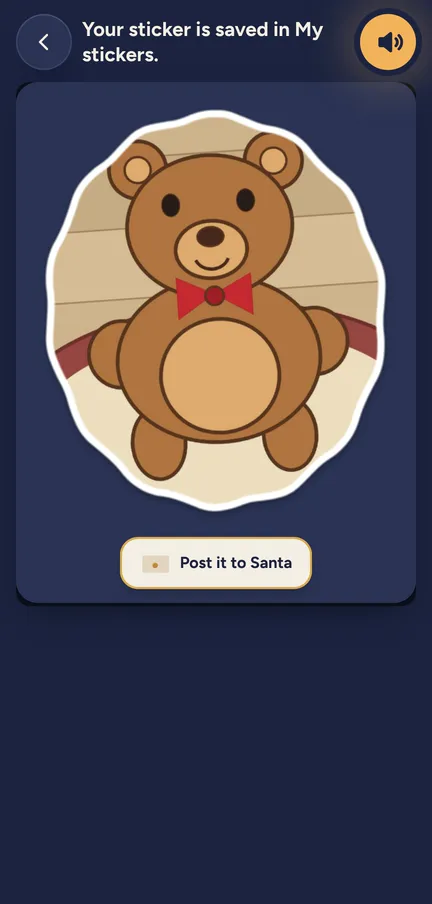
In Elf O'Clock your child photographs something at home, draws a ring round it with a finger, and it becomes a sticker with a white edge for their Christmas collage.
One payment. No subscription, no ads, no extras. Out now on iPhone and iPad. Coming soon to Android.
The app smooths the line and snaps it to the edges on the phone, and up to 30 photo stickers sit beside 9 scenes, 60 things to add and their elf (a little character each child dresses in the app, no toy needed) in 23 poses. A finished collage can go as a picture or as a folded card.
What your child does
- Takes a photo. Of the cat, the tree, a favourite teddy or Grandad's slippers.
- Draws round it. A ring with a finger, or Use the whole photo for a sticker with rounded corners.
- Lets the app tidy it. The line is smoothed and snapped to the edges. If their own line was better, they keep it.
- Gets a sticker. A white edge and a soft shadow, ready to stick.
- Makes a collage. Picks a scene, then drags in props, letters, their elf, their drawings and their photo stickers.
- Turns it into a card. A folded card with a To ribbon on the front, and a message and Love from inside.
The detail
- They draw round it. Your child does the drawing round and the app tidies the line. It does not cut out the background by itself.
- Up to 30 stickers. For the whole household. When it is full, a child taps one to swap it out.
- Easy for little ones. 3 to 5 have Use the whole photo and no name to type. 6 and up can give a sticker a name.
- Peel and stick. Stickers peel off the tray with a curl and land where a finger puts them.
- Their elf, posed. Their own elf, in its own outfit, in 23 different poses.
- Bubbles that fit their age. Picture bubbles for 3 to 5, words for 6 and up.
- In the snow globe too. The newest photo stickers turn up in the Snow globe game.
- Kept for each child. Up to 12 collages each.
Try a door See what a morning door looks like, in your browser.
Elf Letters and more
A few emails a week until Christmas, with ideas, tips, printables and news, and one the day the app is out. Then the odd one through the year.
If that address is right, a confirmation email is on its way. Tap the link in it and everything is yours.
Sorry, our emails aren't open in your country yet.
The free printables don't need an email: get them here.
See it moving
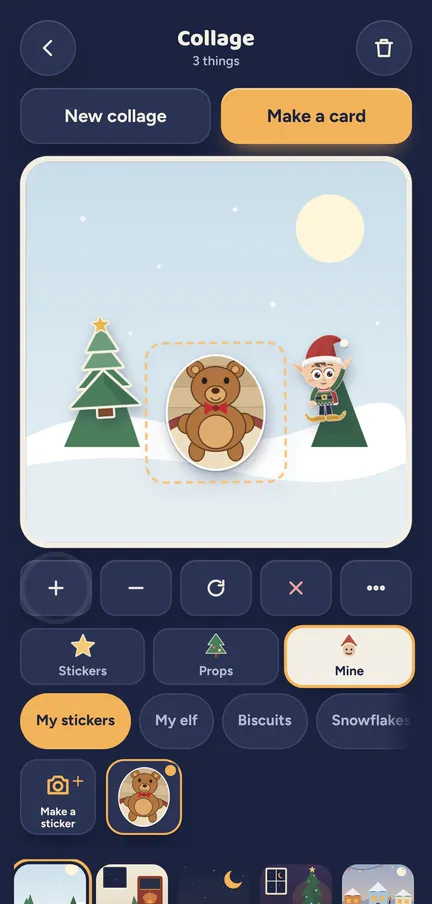
A sticker of something from home, dropped into a collage. 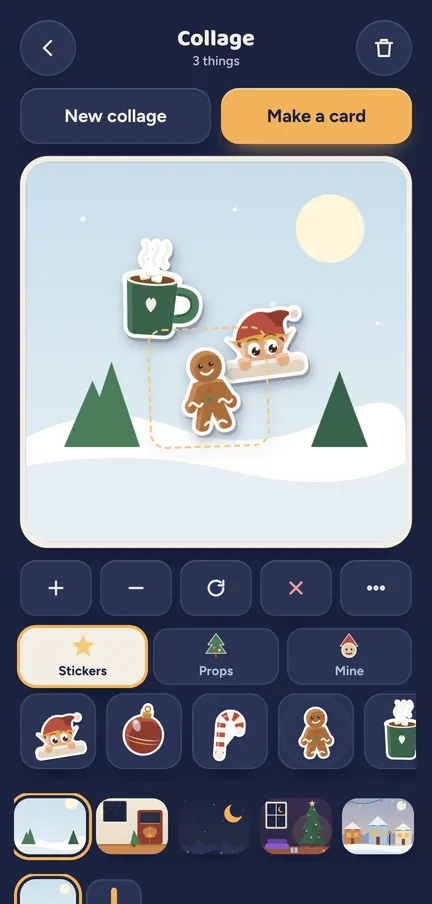
A collage filling up, one sticker at a time.
Which ages get what
Stickers and Collage are open to every age.
- 3 to 5. Use the whole photo, picture bubbles, and no typing.
- 6 to 10. Name their stickers, add words in bubbles and write the message inside a card.
- 11 and up. The same scenes and props, for a card that is really from them.
The camera and the photos
- The camera only. Children make stickers with the camera and never browse the phone's photos.
- The kids' camera switch. The sticker tile needs it. It is on for a grown-up's phone and off on a device set up as the kids' own until a grown-up turns it on.
- A grown-up can help. On the grown-ups' side a grown-up can make photo stickers too, and pick a picture from the photo library.
- The photo is not kept. Only the finished sticker is saved. The photo is not copied to the camera roll.
- Cards go through a grown-up. Sending a collage or a card is behind the parent code, and a child's name shows on a card only when the grown-up's names setting allows it.
Nothing leaves the phone unless you share it.
Elf O'Clock in brief
- Price
- One price, everything in, for up to six people. On the App Store and Google Play at launch.
- Devices
- iPhone and iPad (iOS 15 or later), Android phones and tablets (Android 7 or later).
- Countries
- UK, Ireland, US, Canada, Australia and New Zealand.
- The promise
- No ads, no accounts, no subscription, and nothing leaves your phone unless you share it.
 Coming toGoogle Play
Questions parents ask
- How do kids make stickers from their own photos?
- They take a photo in Elf O'Clock, draw a ring round the thing with a finger, and the app smooths the line and snaps it to the edges. It becomes a sticker with a white edge.
- Does it cut out the background by itself?
- No. Your child draws round the thing, or uses the whole photo, and the app tidies the line.
- Can my child use photos already on the phone?
- Not from the children's side: children use the camera only. A grown-up can make stickers from the photo library on their side.
- Can a collage be sent as a Christmas card?
- Yes. A collage can go as a picture or as a folded card with a message and Love from inside. A grown-up sends it.
- Where do the photos go?
- Nowhere. The photo is not kept, only the sticker, and nothing leaves the phone unless you share it.
- Can my child put their elf in the collage?
- Yes. Their own elf comes in 23 poses, alongside props, letters and their drawings.