
Learn to draw Christmas things, one line at a time
Elf O'Clock shows your child how to draw a robin, a snowman or a reindeer one line at a time, until there is a picture they are proud of, on the screen or on real paper.
One payment. No subscription, no ads, no extras. Out now on iPhone and iPad. Coming soon to Android.
There are 15 Christmas drawings plus their own elf (a little character each child dresses in the app, no toy needed), each shown a step at a time in 4 ways: Watch, On paper, Draw it and Trace it. Help is set for each child, and 3 to 5 year olds start on the most forgiving level.
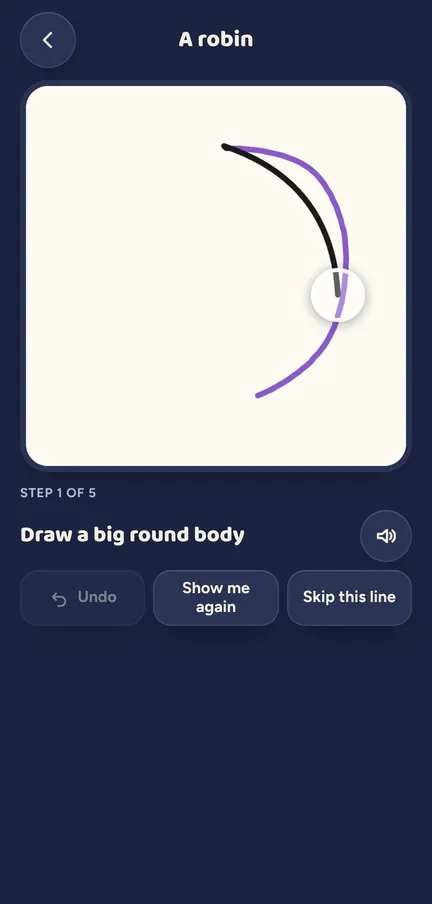
What your child does
- Picks a drawing. A robin, a bauble, a gingerbread person, a toy train, a penguin, or their own elf.
- Picks a way to draw. Watch it drawn, follow along On paper, Draw it with a small model beside the board, or Trace it over a guide.
- Draws one step. Each step is shown and spoken, then Next step brings the one after.
- Fixes it gently. Undo takes a line back. A line that does not take turns to soft pencil and the guide shows again. No red, no "wrong".
- Skips the hard bit. Skip this line draws it for them, and on they go.
- Keeps the picture. A drawing made with Draw it or Trace it is saved, ready for a collage, a puzzle or Santa's postbag.
The detail
- On paper means real paper. Each step plays on the screen while your child draws it with a pencil, with Show me again and Back a step. There is nothing to print.
- 3 help levels. Have a go, Helping hand and Proper drawing, set for each child and remembered. On Have a go a quick swipe the right way counts.
- Trace it. A coloured guide and a pulsing dot show where to start, and the line is gone over on the screen.
- It leans in on small bits. On small details the view moves in by itself between steps, never while a finger is down.
- Draw my elf. The elf they built, whatever it is wearing. On the tricky lines a helper pen draws a wiggly line along their finger, and "I'll draw it all myself" turns it off.
- Draw over a picture. A picture from their gallery, a sticker or a fresh photo sits faintly under the page and they draw over it. Only their own lines are kept; the picture itself is never saved with the drawing.
- Kept for each child. Up to 24 drawings each. A half-done one waits to be carried on.
- Where it goes next. Use it in Collage, Make it a puzzle, Post to Santa and, for their own elf, Colour it in.
Try a door See what a morning door looks like, in your browser.
Elf Letters and more
A few emails a week until Christmas, with ideas, tips, printables and news, and one the day the app is out. Then the odd one through the year.
If that address is right, a confirmation email is on its way. Tap the link in it and everything is yours.
Sorry, our emails aren't open in your country yet.
The free printables don't need an email: get them here.
See it moving
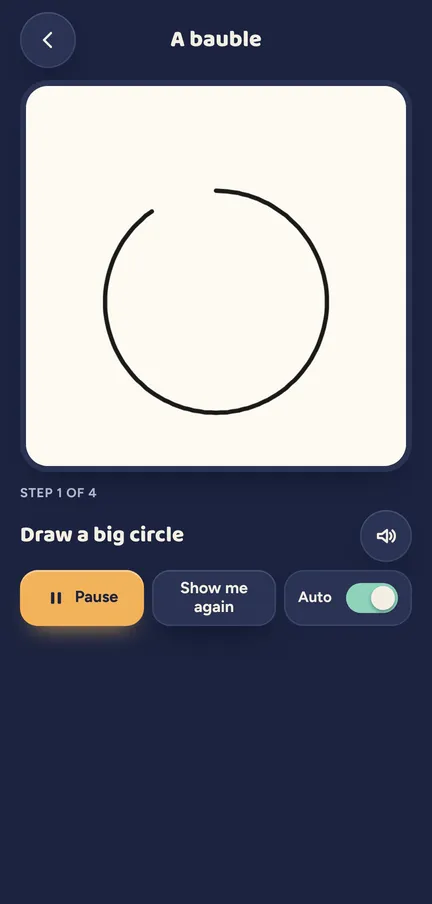
Watch: a bauble, drawn one step at a time. 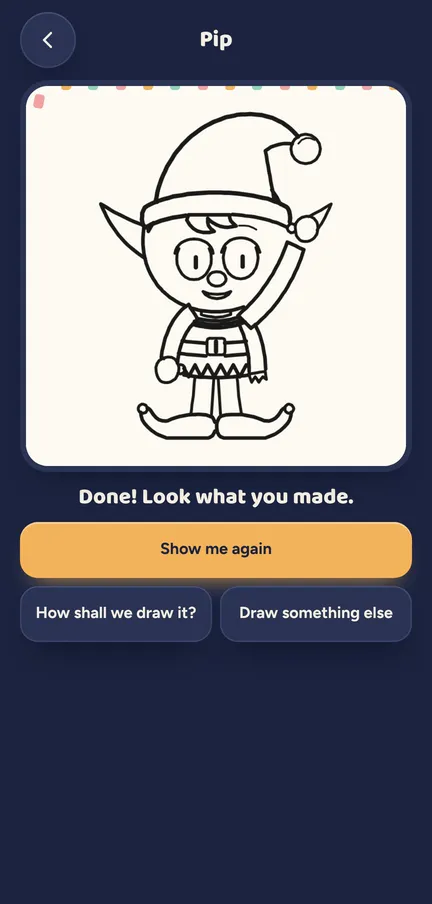
Draw my elf: the last lines go on, and there is the elf they built.
Which ages get what
Every drawing is open to every age. The help level decides how close a line has to be.
- 3 to 5. Start on Have a go, the most forgiving level, where a quick swipe the right way counts.
- 6 to 10. Start on Helping hand: closer to the line, still kind.
- 11 and up. Proper drawing is there for a real test of a steady hand.
Help never fades by itself. It goes down when a child picks a harder level, chooses Draw it with only the small model to copy, or taps Go on by myself.
What a grown-up controls
The help level can be changed for each child, and a little one can stay on Have a go all month. Sharing or printing a finished drawing is a grown-up's job, behind the parent code. Nothing from On paper is saved: that picture is on the kitchen table.
Elf O'Clock in brief
- Price
- One price, everything in, for up to six people. On the App Store and Google Play at launch.
- Devices
- iPhone and iPad (iOS 15 or later), Android phones and tablets (Android 7 or later).
- Countries
- UK, Ireland, US, Canada, Australia and New Zealand.
- The promise
- No ads, no accounts, no subscription, and nothing leaves your phone unless you share it.
 Coming toGoogle Play
Questions parents ask
- How can my child learn to draw Christmas things step by step?
- In Elf O'Clock they pick a drawing, such as a robin or a snowman, and the app shows it one line at a time. They can watch, draw along on paper, copy it on the screen or trace over a guide.
- Can my child draw on paper instead of the screen?
- Yes. On paper plays each step on the screen while they draw it with a pencil. There is no template to print: they draw it themselves.
- Is it too hard for a three-year-old?
- No. 3 to 5 year olds start on Have a go, where a quick swipe the right way counts, and Skip this line draws any tricky line for them.
- Can my child draw their own elf?
- Yes. Draw my elf shows the elf they built, costume and all, with a helper pen for the tricky lines. Then Colour it in opens a colouring page of it.
- Can they zoom in on the small details?
- The view moves in by itself on small details between steps. There is no pinch to zoom.
- What happens to finished drawings?
- They are kept on the phone for that child, up to 24, and can go into a collage, a puzzle or Santa's postbag.
- Can my child draw over a photo?
- Yes. In Draw, Draw over a picture puts a picture faintly under the page. When they finish, only their own lines are kept in their drawings.