
Christmas makes for kids that are really theirs
In Elf O'Clock your child makes things that are really theirs, and each one leads to the next: the elf they built, drawn step by step, coloured in, turned into a jigsaw, then posted to Santa, who rings back the next day.
One payment. No subscription, no ads, no extras. Out now on iPhone and iPad. Coming soon to Android.
Their elf is a little character each child dresses in the app, no toy needed, and every make starts from what they chose. Each finished make is kept on the phone, with a button for what comes next, such as making it a puzzle or posting it to Santa.
One make leads to the next
- Builds their elf. Hair, outfit, a costume and a favourite dance, all their own way.
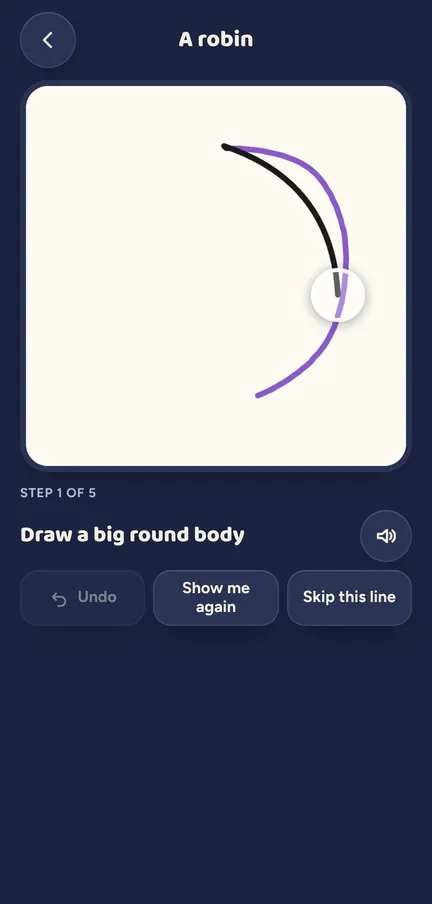
- Draws it, step by step. Draw my elf shows that very elf one line at a time, costume and all, with a helper pen for the tricky bits.
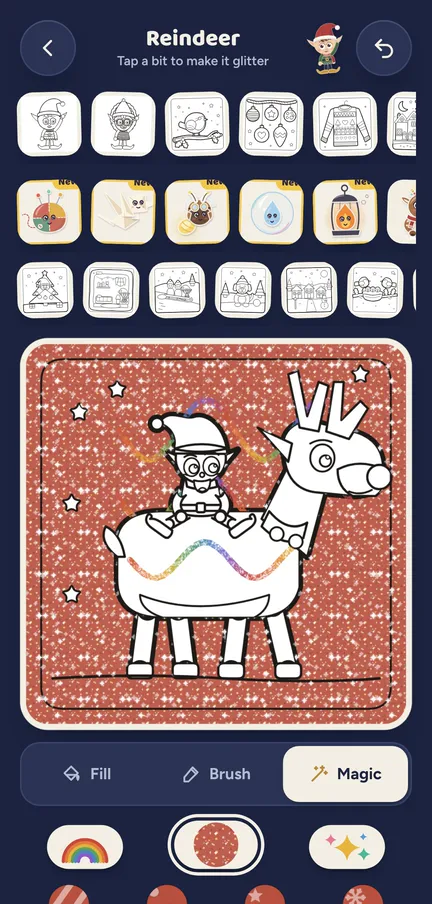
- Colours it in. Colour it in opens a page of the same elf, made on the phone from its look.
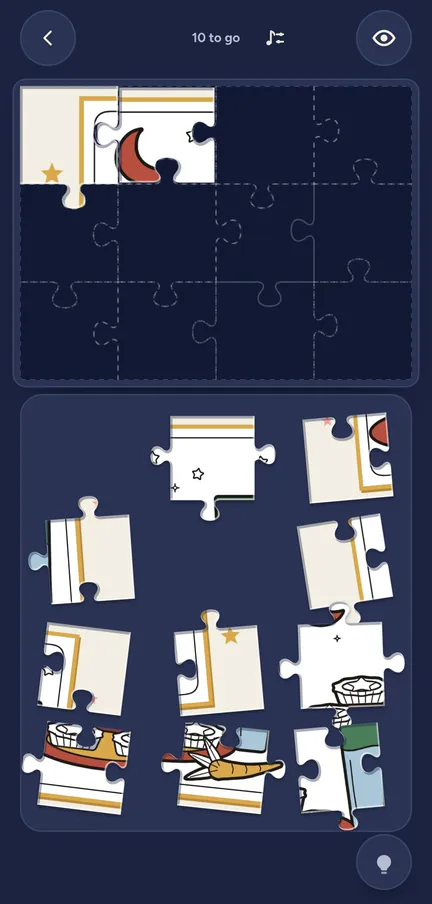
- Makes it a puzzle. One tap turns a finished colouring or drawing into a jigsaw or a sliding puzzle.
- Posts it to Santa. It drops into Santa's postbag, and the next day he rings to thank them for their drawing, their colouring or their collage.
The detail
- Drawing. 15 Christmas drawings and their own elf, shown a step at a time, with help set for each child.
- Colouring. 50 pages that arrive as the doors open, a page of each elf they built, and 7 magic tools from glitter to snow.
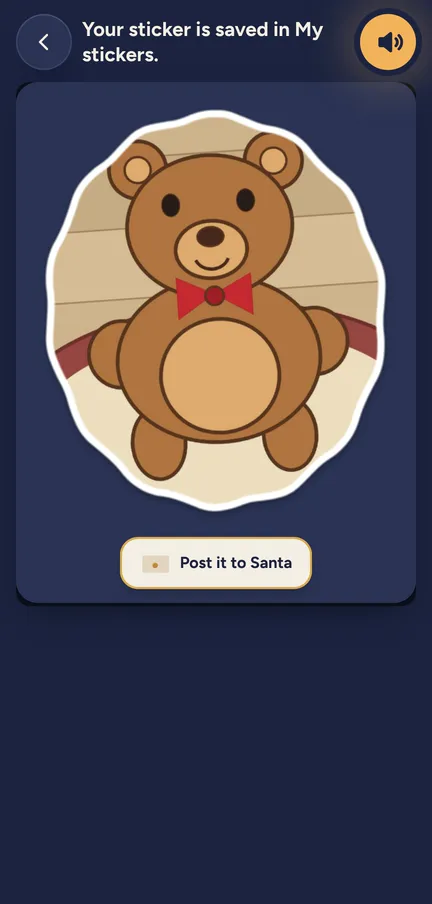
- Stickers and collage. A photo of something at home becomes a sticker, then goes into a scene with props and their elf.
- Their own puzzles. A jigsaw or a sliding puzzle from a photo or from something they made, with pieces to suit their age.
- Kept for each child. Drawings, colouring and collages are saved on the phone, one set for each child, so a sister's robin never lands in a brother's pile.
Try a door See what a morning door looks like, in your browser.
Elf Letters and more
A few emails a week until Christmas, with ideas, tips, printables and news, and one the day the app is out. Then the odd one through the year.
If that address is right, a confirmation email is on its way. Tap the link in it and everything is yours.
Sorry, our emails aren't open in your country yet.
The free printables don't need an email: get them here.
What is in here
Drawing, step by step
A robin, a snowman or their own elf, one line at a time. Watch, draw on paper, draw it or trace it.
Colouring
Tap to fill, a crayon that stays in the lines and a page of the elf they built.
Stickers and collage
Photograph the cat or the tree, draw round it, and it becomes a sticker for their collage.
Your own puzzles
A jigsaw or a sliding puzzle from a photo or something they made.
Magic camera
Sparkle dust, frost or settling snow over a photo, kept as today's postcard.
Folded cards
A collage on the front, a message and Love from inside, sent by a grown-up as a card.
See it moving
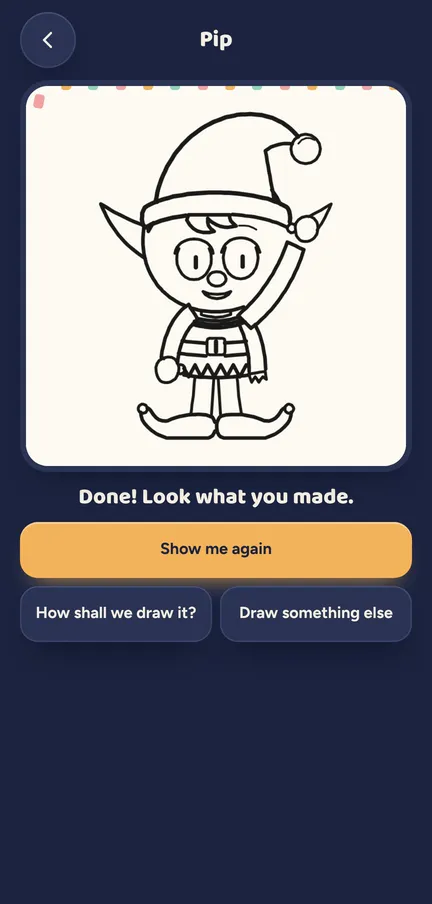
Draw my elf: the last lines go on, and there is the elf they built. Colouring with the magic tools: rainbow crayon, then glitter.
Which ages get what
Everyone in the house can draw, colour, make a collage and do a puzzle. What changes is how much help comes with it.
- 3 to 5. The most forgiving drawing help, guided colours on friend pages, picture bubbles in a collage, chunky jigsaws of 4, 6 or 9 pieces, and posting a make to Santa.
- 6 to 10. A little less help, words in a collage, jigsaws of 12, 16 or 20 pieces, and posting a make to Santa.
- 11 and up. The same makes with bigger puzzles. Posting to Santa is for the under 11s.
What a grown-up controls
Sharing and printing a make is a grown-up's job, behind the parent code. Making photo stickers or a puzzle from a photo uses the kids' camera switch. It is on for a grown-up's phone and off on a device set up as the kids' own until a grown-up turns it on. Set "Santa rings" to Only the big call or Never and the Post to Santa button goes away.
Nothing leaves the phone unless you share it.
Elf O'Clock in brief
- Price
- One price, everything in, for up to six people. On the App Store and Google Play at launch.
- Devices
- iPhone and iPad (iOS 15 or later), Android phones and tablets (Android 7 or later).
- Countries
- UK, Ireland, US, Canada, Australia and New Zealand.
- The promise
- No ads, no accounts, no subscription, and nothing leaves your phone unless you share it.
 Coming toGoogle Play
Questions parents ask
- Is there a Christmas app where kids can draw and colour their own elf?
- Yes. In Elf O'Clock a child builds their elf, Draw my elf shows them how to draw it step by step, and Colour it in opens a colouring page of the same elf.
- Does Santa really see my child's picture?
- No. The app knows what kind of thing was posted, a drawing, a colouring or a collage, and Santa's recorded call thanks them for that. Nothing is sent anywhere.
- Do we need a printer?
- No. Everything works on the screen. A grown-up can print a make if they want to.
- Do we need a toy elf at home?
- No. The elf is a character each child dresses in the app.
- Do photos leave the phone?
- No. A photo used for a sticker or a puzzle stays on the phone, and nothing leaves it unless you share it.
- Is it just for little ones?
- No. An 11 and up profile can draw, colour, make collages and do bigger puzzles too.