
An advent calendar app for kids, no elf needed
Elf O'Clock is an advent calendar app for kids with no elf needed: answer no when setup asks about an elf, and the elf in the app brings the doors.
One payment. No subscription, no ads, no extras. Out now on iPhone and iPad. Coming soon to Android.
Yes, it works with no elf at all. When setup asks "Is an elf visiting your house this Christmas?", answer no, and everything about moving an elf at night is put away: the elf in the app has its own adventures behind each door, so there's nothing to move.
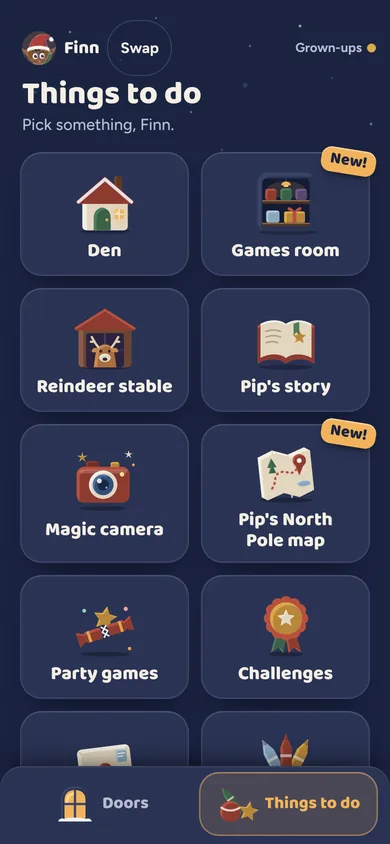
- Everything for the kids. The doors, the story, the Games room, party games, makes, the Elf phone, the evening window and Christmas Eve.
- An elf they dress. Each child dresses the elf their way: body shape, costumes, hair, hats, outfits, shoes and patterns, with saved looks and a signature move.
- Letter to Santa. Santa answers each letter by himself, with no grown-up needed.
- Not sure yet? If an elf might turn up later, say yes to the elf in setup and pick Light help: nothing to plan until you switch planning on.
Try a door See what a morning door looks like, in your browser.
Elf Letters and more
A few emails a week until Christmas, with ideas, tips, printables and news, and one the day the app is out. Then the odd one through the year.
If that address is right, a confirmation email is on its way. Tap the link in it and everything is yours.
Sorry, our emails aren't open in your country yet.
The free printables don't need an email: get them here.
Elf O'Clock in brief
- Price
- One price, everything in, for up to six people. On the App Store and Google Play at launch.
- Devices
- iPhone and iPad (iOS 15 or later), Android phones and tablets (Android 7 or later).
- Countries
- UK, Ireland, US, Canada, Australia and New Zealand.
- The promise
- No ads, no accounts, no subscription, and nothing leaves your phone unless you share it.
 Coming toGoogle Play
Questions parents ask
- Do we need an elf?
- No. Answer no when setup asks "Is an elf visiting your house this Christmas?" and everything about moving an elf at night is put away. The app's own elf brings the doors.
- Is the app mostly about the elf?
- No. The elf is one part of a December that includes doors, a story, games and Christmas Eve. With planning off nothing asks you to move anything.
- Will the kids miss having an elf at home?
- The app's elf is a drawn character who lives in the app, with its own scenes and its own voice (made with AI voice tools from our own script, recorded in advance).
- Can I add an elf later?
- Only by starting setup again, so if an elf might arrive, say yes to the elf in setup and pick Light help. Light asks nothing of you until you switch planning on.